🖨
Made for the Snapmaker U1
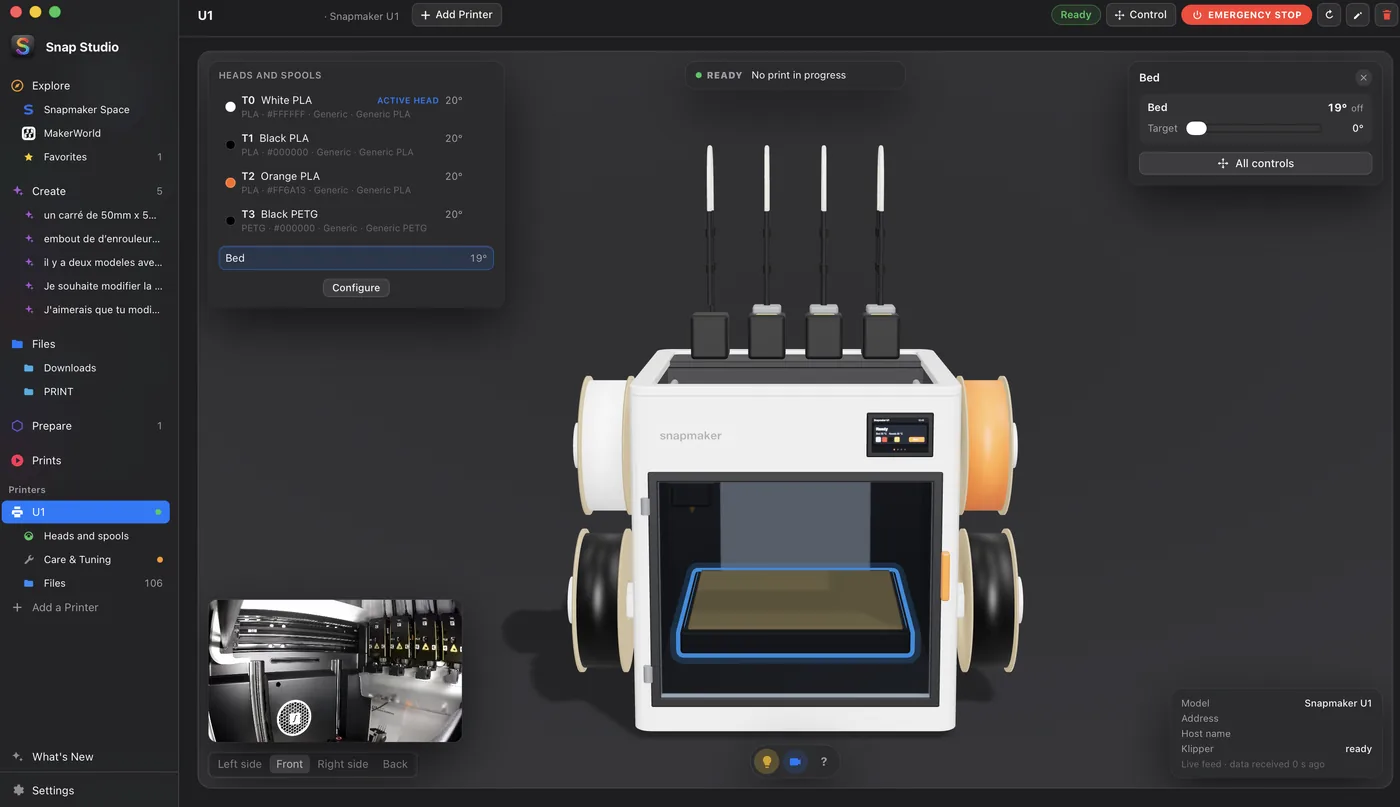
The U1 plate, profiles and four heads are built in. Printers are found on your network and the U1 is shown in 3D: click a spool, a head, the bed or the light for its quick controls. Status and sending also work with any Klipper (Moonraker) printer.
✂️
Orca-style slicing
The Snapmaker Orca engine is downloaded once and kept up to date: no need to install Orca. Quality, infill, walls, surfaces, supports, brim and seam, with styles chosen from pictures, which you can save as your own profiles. Basic or Advanced settings. The prime tower shows on the plate in Prepare, where you place it, or one per material when materials do not bond.
🎨
Multi-color, head by head
The spools loaded on the printer are read. Each color of a model, painted ones included, goes to the head you pick, and the 3D view shows the real spool colors. Virtual heads mix two spools into a new color, as Full Spectrum does.
📡
Live printer monitoring
Progress, layers, temperatures of the four heads and the plate, the live camera (pinned on every screen if you like), pause and cancel, and a print queue. Care & Tuning gathers the printer's controls without G-code, its maintenance and bed leveling.
✦
AI assistant
Describe a change or a new part: Claude models it through Claude Code with your own account, in Claude Code's own sandbox on macOS and Linux, with a live 3D preview and every version kept. The results are multicolor 3MF files ready to slice.
📁
Your files and model sites
Thumbnails of your 3MF files (Orca, Bambu, Prusa, MakerWorld) and layer-by-layer G-code previews. MakerWorld, Printables, Thingiverse and Cults3D open in tabs, and downloads land in Files.